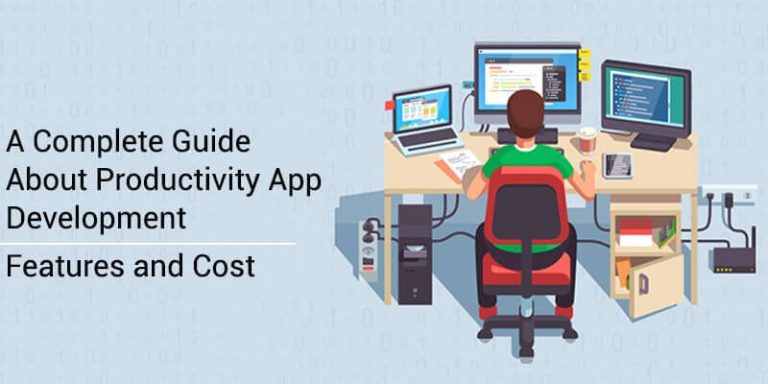
A custom productivity app varies widely in cost to build in 2026, depending on whether you launch a single-user MVP or a full team collaboration platform with real-time sync, roles, and subscriptions. This guide gives you the real 2026 cost tiers, the features that matter, the tech stack and integrations to plan for, a realistic timeline, and how we approach productivity builds at EchoInnovate IT.
Productivity is one of the most competitive app categories, so the winners are rarely the ones with the most features — they are the ones that make a single workflow feel effortless and reliable across devices. Whether you are building a to-do app, a note-taking tool, a project manager, a time tracker, or a team collaboration suite, the sections below tell you what to budget, what to build first, and what pushes the cost up or down. We answer the cost question first, then work through features, stack, timeline, and process.
- A productivity MVP sits at the entry level; a mid-market app in the mid-range; a full team/SaaS platform at the enterprise scale.
- The biggest cost drivers are real-time sync and collaboration, offline support, cross-device parity, integrations, and subscription billing.
- Win on reliability and speed for one core workflow before adding breadth — productivity users abandon slow or flaky apps quickly.
- A cross-platform stack (React Native or Flutter) keeps iOS and Android in one codebase; a shared back end powers web too.
- Plan sync, notifications, calendar, and authentication integrations early — they define the architecture.
In this article
- How much does it cost to build a productivity app?
- Types of productivity apps and what each one needs
- Must-have features in a productivity app
- Tech stack and integrations for productivity apps
- How long does it take to build a productivity app?
- What drives the cost of a productivity app
- How EchoInnovate IT builds productivity apps
- Frequently Asked Questions
How much does it cost to build a productivity app?
Cost tracks scope, and in productivity apps the scope is driven mainly by how much collaboration and real-time behaviour you need. A single-user tool is far cheaper than a multi-user platform that keeps everyone in sync. The 2026 tiers below are reliable planning anchors; we refine them into a transparent quote after a short scoping call.
| App tier | What it includes | Investment level | Timeline |
|---|---|---|---|
| MVP / single-user | One clear job — a to-do or note-taking app with accounts, sync, reminders, and clean offline support. | Entry-level | 2–4 months |
| Mid-market app | Projects, task assignment, calendar sync, notifications, and an admin or team view — a real project-management or time-tracking product. | Mid-range | 4–7 months |
| Team / SaaS platform | Real-time collaboration, roles and permissions, integrations, subscriptions, web plus mobile, and analytics across iOS, Android, and browser. | Enterprise-scale | 7–12 months |
A single-user MVP — a focused to-do or note app with accounts, cloud sync, reminders, and solid offline behaviour — sits at the lower end. Add projects, task assignment, a calendar, and a team or admin view and you move into the mid tier. Once you need real-time collaboration, granular roles and permissions, third-party integrations, and subscription billing across web and mobile, you are building a SaaS platform and costs climb toward the enterprise scale. These are build tiers; hosting, third-party APIs, and store accounts are separate and comparatively small. We do not quote a fixed number sight-unseen — we quote transparently once the feature list and platforms are agreed.
Types of productivity apps and what each one needs
“Productivity app” spans several products, and each leans on a different core capability. Knowing which you are building sharpens scope and budget.
- To-do and task managers live or die on fast capture, reliable reminders, and sync. They can launch lean but must feel instant.
- Note-taking and knowledge apps center on a rich editor, search, media, and offline access, with sync conflicts being the hard engineering problem.
- Project and team management apps add boards, assignments, due dates, and permissions, plus an admin view — solidly mid-tier.
- Time-tracking and invoicing apps combine timers, reports, and often payments or exports, so accuracy and integrations drive the build.
- Team collaboration suites layer real-time editing, comments, and notifications on everything above, which puts them in the platform tier.
Most breakout products start as one of these and expand. Our advice is to lead with the single workflow your users cannot live without, make it excellent, and add adjacent capabilities once real usage shows where demand concentrates. Trying to match an established suite feature-for-feature at launch is the most common way productivity budgets overrun.
Must-have features in a productivity app
Feature scope is the biggest lever on cost, so separate launch needs from later additions. Across productivity products, a core set does most of the work:
- Fast capture and organization — tasks, notes, or projects created in a tap, with tags, folders, or lists.
- Cloud sync across devices — the same data on phone, tablet, and web, with reliable conflict handling.
- Offline support — the app must keep working without a connection and reconcile when it returns.
- Reminders and notifications — timely, controllable alerts that build a daily habit without being noisy.
- Search — fast, forgiving search becomes essential as users accumulate data.
- Calendar and scheduling — due dates, recurring items, and two-way calendar sync.
- Collaboration — sharing, assignment, comments, and, for teams, real-time updates and roles.
- Integrations — calendars, email, storage, and popular tools your users already rely on.
- Accounts and settings — secure authentication, backup, and clear data controls.
For team products, add roles and permissions, an admin dashboard, and subscription billing. The recurring theme is that productivity users judge quality by speed and reliability, not feature count, so invest first in sync, performance, and offline behaviour rather than a long feature list.
Tech stack and integrations for productivity apps
For most productivity apps we recommend a cross-platform front end so a single codebase serves iOS and Android, with React Native or Flutter both strong choices in 2026. A shared back end can then also power a web app, which matters because productivity users expect their data everywhere. Native (Swift or Kotlin) is worth it mainly for heavy widget, keyboard, or system-integration work.
On the back end, a Node.js or Python service with PostgreSQL or a document database covers most productivity workloads, hosted on AWS or Google Cloud. The architecture is shaped by sync, so decide these early:
- Sync and real-time — a robust sync layer (and, for collaboration, a real-time service) is the core engineering investment.
- Authentication — email plus social or SSO login, with secure session handling.
- Notifications — Firebase Cloud Messaging or equivalent for push and reminders.
- Calendar and storage — Google and Apple calendar APIs, plus cloud storage for attachments.
- Billing — Stripe or the app-store subscription APIs for freemium and paid tiers.
Each integration adds scope, which is why the feature list and stack must be decided together. Getting sync and performance right at the start is exactly the work a seasoned mobile app development partner does before production code begins.
How long does it take to build a productivity app?
Timelines track scope. A single-user MVP generally takes two to four months from kickoff to store submission. A mid-market app with projects, calendar, and notifications runs four to seven months. A team collaboration platform with real-time sync, roles, integrations, and subscriptions typically needs seven to twelve months.
These windows assume a dedicated team in two-week sprints, with discovery and design up front. A typical schedule is one to three weeks of discovery and UX, then design running ahead of development, then feature sprints, then a QA and beta phase, then store submission. Sync and offline behaviour always need extra testing time on real devices, so we build that into the plan rather than discovering it at the end.
The fastest way to ship sooner is to narrow scope, not to add engineers late. A single reliable workflow launched in three months and improved with real feedback beats nine months spent on a broad, unvalidated feature set. You can scale the team once the product has traction.
What drives the cost of a productivity app
When two productivity apps carry very different price tags, the gap comes from a familiar set of factors. Knowing them lets you make deliberate trade-offs.
- Real-time collaboration. Multi-user, live-updating features need extra infrastructure and testing and are the single biggest driver.
- Offline and sync depth. Robust offline support with clean conflict resolution is demanding engineering that users notice immediately when it is missing.
- Cross-device parity. Matching behaviour across phone, tablet, and web expands the surface area.
- Integrations. Each calendar, storage, or tool integration adds scope and maintenance.
- Billing and roles. Subscriptions, free tiers, and permission systems are projects in themselves.
- Design polish. The category rewards speed and craft, so interaction detail takes real effort.
The practical takeaway: pick your must-haves, defer the rest, and quote against a specific scope. If budget is tight, launching single-user first and adding collaboration later usually saves the most without hurting your core value. When you need extra capacity mid-build, IT staff augmentation lets you scale a team up or down without long hiring cycles.
How EchoInnovate IT builds productivity apps
EchoInnovate IT is an India-based custom and white-label software development company with 12 years in the field, 50+ employees, and 500+ products shipped — most launched under our clients’ own brands. We hold a 5.0 rating on Clutch across 6 verified reviews. That history matters for a productivity build because we have solved sync, offline, real-time collaboration, and subscription billing many times and bring those patterns to your product rather than reinventing them.
Our process starts with a short scoping call to understand your product, your users, and your budget. From there we align on the feature list and platforms, choose the stack to fit your roadmap, define a milestone plan, and staff a dedicated team so you always know who is building your app. We handle native integration, App Store and Google Play releases, and ongoing maintenance so performance and security keep pace after launch. Because we work as an extension of your team, you can scale engineers up or down as scope changes. If a productivity app is your direction and you want a partner who has shipped this kind of product under other brands, our mobile app development team can take you from idea to shipped app without you assembling and managing the specialists yourself.