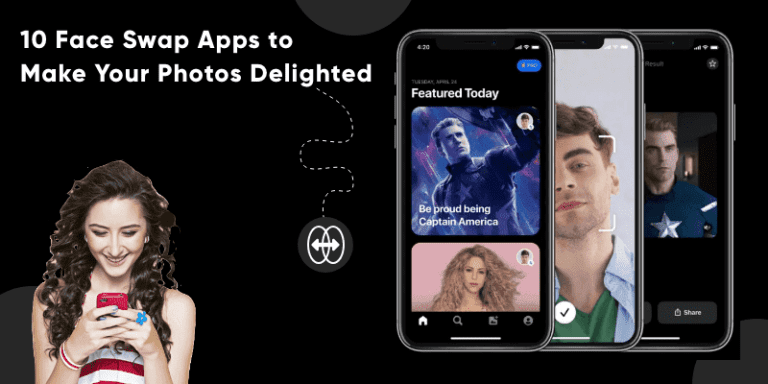
TL;DR: For free live swaps, Snapchat’s Face Swap Lens is the easiest start, and Reface is the biggest name for video templates. Swapify swaps faces in your own videos on a paid plan, while Cupace and RemakeFace are free photo tools on Android. Whatever you use, only swap the faces of people who agreed to it.
Face swap apps let you put your face on a friend, a celebrity or a movie scene in a few taps. Better AI has made the results far more realistic than the cut-and-paste swaps of a few years ago.
Why Face Swap Apps Are Everywhere in 2026
What used to need desktop software now runs in seconds on a phone. Generative AI models handle the face matching, lighting and blending, so swaps look more natural. Video swaps used to be a desktop job; now they’re a standard feature in apps like Reface and Swapify.
If you’re looking for a face changing app, you probably want one of three things: fun and social (memes, celebrity templates), creative content (TikTok edits, YouTube thumbnails) or serious photo editing. The quality and the ethics of each app vary widely.
This guide covers 10 face swap apps for iPhone and Android in 2026: what each does best, its free-tier limits, watermarks and where it falls short. Building your own AI photo or video app? See our AI development and mobile app development services.
What Is a Face Swap App?
9 min read
A face swap app is a mobile application that puts one person’s face onto another in a photo or video. Some people call it a face switch app. It finds each face, maps points like the eyes and mouth, then blends skin tone and lighting so the swap looks natural.
Face swaps took off with social video. App makers responded with live camera swaps, video templates and AI tools that match light and skin tone.
Building one starts with research into users and competitors. Next comes a design prototype for the screens and user flow. Then the team builds the app and adds face detection and swap models, either on the phone or in the cloud.
How We Compared These Face Swap Apps
A quick note on how we tested these apps: we didn’t run lab tests. Instead, we compared what each faceswap app offers on paper, plus recent user reviews for a few of them.
- App Store and Google Play listings, checked in October 2026, to confirm each app is still live.
- Feature lists: photo or video swaps, live camera swaps and manual editing.
- Free-tier limits, ads, subscriptions and watermark rules, where the listing states them.
Where a listing doesn’t say something, the table says “Not stated” instead of guessing.
Face Swap Apps Compared: Free, Video and Watermark
Here’s how the 10 apps compare at a glance. “Free” means you can swap faces without paying, even if a paid plan unlocks more.
| App | Free? | Video swap? | Watermark | Platform |
|---|---|---|---|---|
| Snapchat | Yes | Yes, live in the camera | Not stated | iOS, Android |
| Cupace | Yes, with ads | No, photos only | Not stated | Android |
| Swapify | Templates only; own photos and videos need Pro | Yes | Pro exports are watermark-free | iOS, Android |
| Reface | Yes, with ads; Pro subscription | Yes, video templates | On free exports, per reviews; Pro removes it | iOS, Android |
| Picsart | Free app; paid plans add more AI | No, AI Replace works on images | Not stated | iOS, Android, web |
| Copy Replace Face | Free with in-app purchases | No, video was removed in v2.3 | Not stated by the developer | iOS |
| Funveo | Free; premium filters by subscription | Yes, record in the app | Not stated | iOS |
| RemakeFace | Yes | No, photos only | None, per the listing | Android |
| Facecopy | Free; Gold subscription | No, photos only | Not stated | iOS |
| PhotoDirector | Free with ads; Premium unlocks all | No for faces (Motion Swap does dance clips) | Not stated | Android |
Store details change often, so check the listing before you pay for anything.
How to Choose the Best Face Swap App
When you pick a face swap app, weigh these five things:
Swap quality: Newer AI apps match light and skin tone. Manual cut-and-paste apps give you more control but look less real.
Photo or video: Only some apps swap faces in video. Check the table above before you download.
Free tier and watermark: Many apps lock their best swaps, or a clean export, behind a subscription.
Privacy: A swap face app that doesn’t say how long it keeps your photos is a red flag.
Extra tools: Filters, stickers and sharing help. If you mostly want a better camera, see our list of the best camera apps for Android.
The 10 Best Face Swap Apps in 2026
Face swap apps are not the same as image recognition apps, which identify what’s in a photo. They’re also not deepfake tools built to fool people. The apps below are made for fun, and they work best when everyone in the picture is in on the joke.
Here are the 10 apps, with what each does well and where it falls short.
1. Snapchat
Snapchat’s Face Swap Lens swaps two faces live in the camera, so it works for both photos and video. If it isn’t in your Lens carousel, search “face swap” in Lens Explorer.
The app is free on iOS and Android, and it’s the quickest way to try a swap with a friend. The trade-off: you can’t fine-tune the result, and the lens isn’t always in the carousel.
2. Cupace
Cupace is a free Android editor for cutting a face out of one photo and pasting it into another. You trace the face by hand with a magnifier, and each cut face is saved to a Face Gallery for reuse.
Add text and stickers to finish a meme. It’s free with ads, and it only works on photos.
3. Swapify
Swapify swaps faces in photos and videos on iPhone and Android. Save a selfie once, then drop it into templates or, with Pro, into your own clips. Related: hire dedicated Android developers.
Partial swaps let you change just the eyes, nose or lips. Pro plans add monthly credits and watermark-free exports.
Its listing asks you to use only photos of people who agreed, and results pass automatic safety checks.
The catch: swapping your own photos and videos needs Pro, so the free tier is mostly templates.
4. Reface
Reface is the best-known face swap app for video. Pick a trending clip, movie still or character from its library, and it puts your face in with one tap.
Extras include gender swaps, face morphs and hairstyle previews. The free version has ads, while the AI photo generator and ad-free use need a subscription.
5. Picsart
Picsart is a full photo and video editor, and its AI Replace tool handles face swaps on images. It’s free on iOS, Android and the web, with paid plans for more AI features.
Pick it if you want one app for swaps, background removal and collages. It isn’t a dedicated face swap tool, so templates are fewer than in Reface.
More Face Swap Apps Worth Trying
6. Copy Replace Face
Copy Replace Face (listed as Copy Replace Photo Face Swap) is an iPhone app for manual swaps. You copy a whole face, or just the eyes, nose or lips, onto another photo.
You then position, scale and blend it with several masks, and save faces to reuse later. Related: mobile app development.
It’s free with in-app purchases. The latest update removed its video features, so it’s photo-only now.
7. Funveo
Funveo is an iPhone camera app for silly face swaps, filters and voice effects. You record video or take photos inside the app, then swap faces or turn into a pirate, zombie or Santa.
It’s free to download, and premium filter packs come by subscription. It’s built for laughs, not realistic edits.
8. RemakeFace
RemakeFace is an Android face swap app with more than a million downloads on Google Play.
Pick a template or upload any photo, and it swaps one face or several in the same frame.
Its listing promises unlimited swaps without watermarks or coins, which is rare among free apps.
It works on photos only. It also has an image-to-image mode that builds a new picture from a prompt and your face.
9. Facecopy
Facecopy is a cut-and-paste photo editor for iPhone. Tap a subject to select it, then paste the face onto another photo.
You can copy a celebrity’s eyes onto your selfie or paste the dog’s face over the whole family. Related: cross-platform app development.
It’s free to download, with a Gold subscription for extras. It works on photos only, and cutouts can become iMessage stickers.
10. PhotoDirector
PhotoDirector by CyberLink is a full AI photo editor with an AI Face Swap tool. It also has Motion Swap, which drops a character or pet into trending dance clips.
The app is free with ads, and Premium unlocks every feature and content pack.
One catch for iPhone users: in October 2026 the iOS version was no longer listed on the US App Store. Treat it as an Android pick for now.
Are Face Swap Apps Safe?
Face swap apps are fine for fun with your own photos, but they handle sensitive data: your face. Read the privacy policy, check how long photos are kept, and skip apps that don’t say.
Consent comes first. Only swap the faces of people who have agreed to it. Swapify and Copy Replace Face both ask for this in their store listings.
The law is catching up, too. In the US, the TAKE IT DOWN Act makes publishing non-consensual intimate deepfakes a crime, and platforms must remove them within 48 hours of a valid request. In the EU, the AI Act’s rule that deepfakes must be labelled applies from 2 August 2026.
How Much Does a Face Swap App Cost to Build?
The cost of building a face swap app like Reface depends on scope, the design of an application, the AI models you use and how much video you process. A photo-only first version usually takes a few months.

That time covers each step: planning, research, design, building, testing and release.
Most builds sit in the entry to mid tier. Video swaps, on-device AI and content moderation push a project toward the upper tier, and cloud GPU time is the main running cost. We give a fixed quote after a short scoping call.
Conclusion
The best face swap app depends on what you want to make:
- Free live swaps: Snapchat’s Face Swap Lens.
- Video templates: Reface or Swapify.
- Silly selfie videos with voice effects: Funveo (iPhone).
- Free photo swaps on Android: Cupace or RemakeFace.
- Manual cut-and-paste on iPhone: Facecopy or Copy Replace Face.
- All-in-one editors: Picsart or PhotoDirector.
For short-form video edits, the video apps above are the quickest path. Whatever you pick, only swap faces of people who agreed to it.
Building your own AI photo or video app? Our AI development team can help with on-device and cloud models, content moderation and app-store rules. You can also hire a developer to join your own team.
Frequently Asked Questions
What is the best free face swap app?
Snapchat is the easiest free option: its Face Swap Lens swaps two faces live in the camera. On Android, Cupace (free with ads) and RemakeFace are free photo tools. Reface and Swapify also have free tiers, but their best features need a paid plan.
Which face swap app works on video?
Reface, Swapify, Funveo and Snapchat all work on video. Reface and Swapify put your face into video templates, and Swapify Pro also swaps faces in your own clips. Snapchat and Funveo apply the swap live while you record. Cupace, Facecopy and Copy Replace Face are photo-only.
Is there a face swap app without watermark?
RemakeFace’s Google Play listing promises unlimited swaps without a watermark. Swapify’s paid plans export without one, and reviews say Reface Pro removes the free-tier watermark. Most other listings don’t state a watermark policy, so export one test image before you pay.
Are face swap apps safe?
Mostly, if you use a known app and read its privacy policy first. Only swap faces of people who agree. In the US, the TAKE IT DOWN Act makes publishing non-consensual intimate deepfakes a crime. In the EU, the AI Act has required deepfakes to be labelled since 2 August 2026.
How much does it cost to build a face swap app?
A photo-only face swap app built on existing AI models sits in the entry tier. Video swaps, on-device AI and content moderation push a build into the mid to upper tier. Cloud GPU time for video is the main running cost. We give a fixed quote after a short scoping call.
Building an AI face swap or photo app?
We’ve shipped 500+ products in 12+ years with a team of 50+ people, rated 5.0 on Clutch across 6 reviews. Tell us what you want to build, and we’ll scope the AI, moderation and app-store work with you.