SaaS has changed how companies buy software. It gives businesses scalable, low-maintenance tools. You might be building a SaaS platform, a full solution, an app, or a new product. This guide covers what SaaS is, how it works, and how to build one.
You skip the hassle of managing hardware, infrastructure, or updates. The provider runs all of that, so you just use the software.
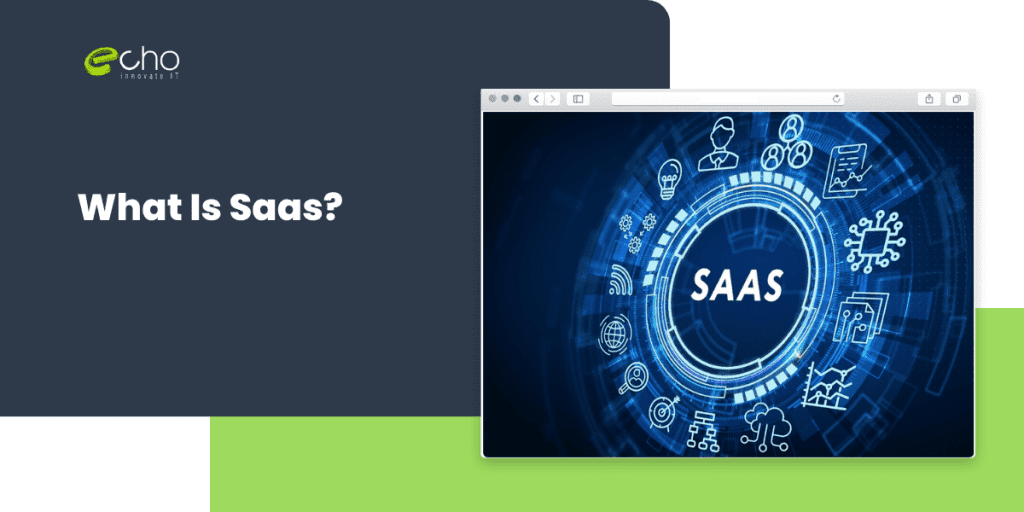
What Is Saas?
10 min read · Last updated: May 2026
A SaaS product uses a subscription model. Customers pay a monthly or annual fee to use the software. You scale usage and cost up or down as your needs change. That makes it flexible and cost-effective.
How Does SaaS Work?
Multi-Tenancy
Multi-tenancy is a core part of SaaS. One instance of the software serves many users, or “tenants.” Each tenant’s data is stored and isolated separately, so it stays private and secure. Related: mobile app development services.
Scalability
SaaS products handle a range of user needs and workloads. Providers use cloud infrastructure to scale fast. That means they can support a growing user base or a sudden spike in traffic.
Automatic Updates
With SaaS, updates and maintenance move from the user to the provider. Updates roll out in the background. So users always get the newest features and security patches.
Types Of Saas Products
Collaboration and Communication Tools
Teams can work together in real time, across locations. Chat tools like Slack and Microsoft Teams and project tools like Asana and Trello run on SaaS. They help businesses streamline work, boost productivity, and collaborate better.
Customer Relationship Management (CRM) Systems
CRM systems changed how companies manage client interactions and sales. These SaaS apps give you one hub to manage contacts, track leads, and nurture relationships. Popular options include Salesforce, HubSpot CRM, and Zoho CRM.
Human Resources (HR) Management Software
Managing people well matters for any size company. SaaS HR software handles onboarding, performance reviews, time tracking, and payroll. Tools like BambooHR, ADP Workforce Now, and Zenefits automate admin work, improve engagement, and help you stay compliant.
E-Commerce and Online Retail Platforms
SaaS gives online stores strong tools to launch and run. E-commerce platforms offer inventory management, secure payments, and custom storefronts. Leaders here include Shopify, BigCommerce, and WooCommerce. They help businesses sell online, reach more customers, and grow revenue.
Project Management Software
Project management software keeps work organized, on track, and on budget. SaaS tools like Monday.com, Basecamp, and Wrike cover tasks, scheduling, file sharing, and collaboration. Teams use them to plan, run, and monitor projects and deliver on time.
Financial Management and Accounting Software
Good financial management matters for every business. SaaS accounting software handles bookkeeping, invoicing, expense tracking, and reporting. Options include QuickBooks Online, Xero, and Wave. They help you manage money, see your financial health, and stay compliant. Related: cross-platform app development.
How To Develop A Saas Product?
Idea Validation
- Start by validating your SaaS product idea.
- Conduct market research to identify potential competitors, target audience, and market demand.
- Ensure that your idea solves a real problem and offers unique value.
Define Product Scope
Define the scope of your SaaS product. List its features, functions, and target users. This keeps you focused and helps you prioritize the build.
Design User Experience (UX)
- Craft an intuitive, user-friendly interface for your SaaS product.
- Invest time in smooth user experiences, simpler workflows, and a clean design.
- A great UX can make or break your product.
Choose the Right Technology Stack
Pick the tech stack for your product. Weigh scalability, security, and how well it integrates. Common choices are Python or JavaScript, frameworks like Ruby on Rails or React, and cloud services like Azure or AWS. Angular JS development also works well for SaaS.
Backend Development
Build the backend: server-side logic, database management, and APIs. Put strong security in place to protect user data and block unauthorized access.
Frontend Development
Build the frontend with a focus on a responsive, engaging interface. Use modern frameworks like React or Angular for dynamic, interactive experiences.
Data Storage and Management
Establish a scalable and secure data storage solution for your SaaS product. Use managed databases like Amazon RDS or Google Cloud SQL to efficiently handle data storage and retrieval.
Integration Capabilities
Plan for integrations from the start. Connect with popular third-party services and APIs. This gives users more functionality in one place.
Testing and Quality Assurance
Conduct rigorous quality assurance processes to identify and rectify bugs or usability issues. Perform functional, performance, and security testing to ensure a stable and reliable product.
Deployment and Release
- Prepare for product deployment and release.
- Choose a reliable hosting cloud platform to deploy your SaaS product.
User Feedback and Iteration
Once your product is live, gather user feedback and improve. Use what users tell you to refine the product over time. Related: hire cross-platform developers.
Customer Support and Maintenance
Offer strong customer support and answer questions fast. Keep the product updated so it stays secure, reliable, and current.
Best Examples Of Saas Companies
SaaS companies have disrupted industries from small startups to global enterprises and paved the way for innovation.
1. Salesforce
Salesforce is a SaaS leader in customer relationship management. Its platform helps companies of all sizes streamline sales, improve client interactions, and grow revenue. It set the standard for cloud-based CRM.
2. Slack
Slack is a model SaaS business for team communication. Its clean interface and easy integrations made real-time collaboration simple. Small teams and large companies both use it every day.
3. Zoom
Zoom leads video conferencing and online meetings. As remote work grew, its simple interface and reliable performance changed how people meet and work together.
4. HubSpot
HubSpot is a well-known SaaS company in inbound marketing and sales. Its content management, lead nurturing, and marketing automation have helped many businesses grow.
5. Dropbox
Dropbox made cloud storage and file sharing simple. It works across platforms and connects with other tools, which is why many people rely on it. Related: custom software development.
6. Adobe Creative Cloud
Adobe Creative Cloud changed the creative industry. Its apps cover graphic design, video editing, and web development. Tools from Photoshop to Premiere Pro help professionals and beginners alike. The cloud subscription means users always get the latest features.
7. Shopify
Shopify changed how businesses build and run online stores. Its simple interface, flexible templates, and large app marketplace let owners launch fast. It handles orders, payments, and inventory in one place, so it is a top choice for online retailers.
What Are The Advantages Of Saas?
SaaS offers a wide range of advantages, making it a preferred choice for organizations across industries.
Cost-Effectiveness
Cost is a top advantage of SaaS. It runs on a subscription model, so there is no big upfront spend on licenses or infrastructure. You pay a predictable monthly or annual fee. There is also no costly hardware or ongoing maintenance, since the provider handles updates.
Scalability and Flexibility
SaaS scales easily. Traditional software takes real effort and resources to scale up or down. With SaaS, you just adjust your subscription. Add or remove users, add storage, or unlock features as your needs change. Your software keeps pace with your growth.
Ease of Deployment and Accessibility
SaaS is easy to access and deploy. Most SaaS apps are cloud-based and run in a web browser. There is no complex install or setup. Users can reach their apps and data from anywhere, which supports remote work and collaboration.
Continuous Updates and Maintenance
SaaS takes updates and maintenance off your plate. The provider handles upgrades, so you get the newest features and security patches. There is no manual updating and no risk of running out-of-date software. Providers also manage backups, security, and performance, so you can focus on your SaaS development company goals.
Enhanced Collaboration and Integration
SaaS makes collaboration and integration easier. Many apps are built for teamwork and sharing. Real-time collaboration, document sharing, and central data storage keep workflows smooth, wherever people work. SaaS apps also connect with popular tools for a more efficient setup. Related: AI-powered app development.
Increased Security and Data Protection
SaaS providers put security and data protection first. They have dedicated teams and strong safeguards. That often gives you better protection than on-premises setups, and it helps you meet data privacy rules.
Conclusion
Software as a Service brings real benefits: lower cost, easy scaling, simple deployment, ongoing updates, better collaboration, and stronger security. With the SaaS model, businesses get powerful tools and can focus on what they do best.
If you want to build a custom SaaS solution, EchoInnovate IT can help. We build custom SaaS products for clients across industries. You can also hire our SaaS developers on flexible terms. Use our IT staff augmentation services to get your platform built.
Frequently Asked Questions
Salesforce was founded in 1999. It continues to be a model SaaS business today, transforming how companies handle client relationships.
It can vary significantly based on various variables, including the Software’s complexity, the number of features, the availability of saas development services resources, and the technological stack selected.
Multi-tenancy,
Subscription-based Pricing, and
Centralized Management.
Instructional apps should include features that enhance the learning experience and provide value to users. Some essential components are interactive lessons, progress tracking, personalized content recommendations, discussion forums, and gamification elements. The ability to access content offline and compatibility across different devices can also contribute to a smooth user experience.
SaaS products engineered for retention, not just sign-ups.
Multi-tenancy, RBAC, billing (Stripe/Chargebee), audit logs, SSO/SAML, analytics, integrations marketplaces — we ship B2B SaaS used by 500+ enterprise customers. We know the unsexy stuff that makes SaaS sticky: admin UIs that don’t suck, API documentation that earns trust, onboarding that reduces TTV. If your SaaS has good growth but bad retention, we’ll diagnose it.