
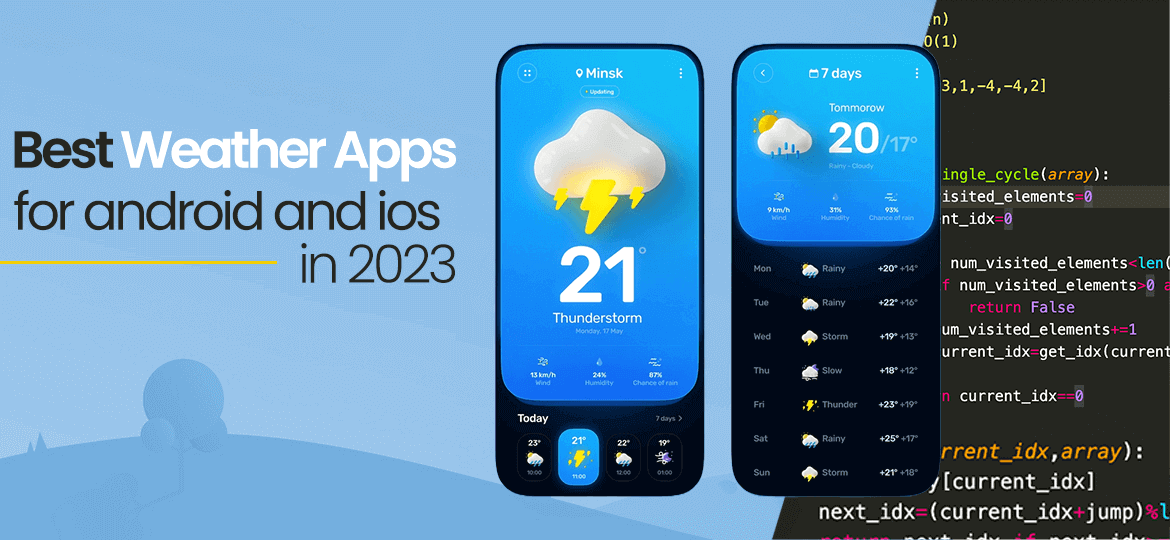
TL;DR: AccuWeather and The Weather Channel are safe picks for an accurate daily forecast, and RadarScope is the storm chaser’s choice. WeatherBug, Clime and the Red Cross Emergency app are strong free options. iPhone owners already have Apple Weather, which took over Dark Sky’s forecasting when Dark Sky closed in 2023.
Quick picks
- Best all-rounder: AccuWeather, for minute-by-minute rain timing
- Best for storm tracking: RadarScope
- Best for weather maps: Windy
- Best free app: WeatherBug
- Best built-in app for iPhone: Apple Weather
- Best for road trips: Weather on the Way
- Best for Android map fans: FlowX
Weather apps show you everything from the next hour of rain to the week ahead. That helps you plan your days and get a head start when bad weather is coming.
We’ve all been there. You skip the umbrella, step outside, and get soaked ten minutes later. A good weather app gives you hourly temperatures, rain chances, air quality and alerts, so you aren’t caught out.
Many free weather apps collect location data, and some share it with advertisers. Check each app’s privacy settings and limit location access to “while using the app” where you can. Your phone also has a built-in weather app, which may be all you need.
Why Weather Apps Matter More Than Ever in 2026
Weather apps now do far more than show tomorrow’s high. They time rain to the minute, warn you about lightning nearby and track wildfire smoke. Severe weather alerts are now a standard feature, not an extra.
The apps in this guide fall into a few groups. Everyday forecast apps include AccuWeather, The Weather Channel and Apple Weather. Radar and map apps such as RadarScope, MyRadar and Windy suit storm watchers, while alert and niche apps cover emergencies, air quality, road trips and the moon.
For each app, we cover what it does best, what’s free and where it falls short. If you’re thinking of building your own weather app, see our mobile app development services.
11 min read
In this article
- 1. Why Weather Apps Matter More Than Ever in 2026
- 2. Most accurate weather apps (radar & hyperlocal)
- 3. AccuWeather
- 4. Weather Underground
- 5. Tomorrow.io
- 6. Windy
- 7. MyRadar
- 8. The Weather Channel
- 9. RadarScope
- 10. Best free weather apps
- 11. IQAir AirVisual
- 12. Clime: NOAA Weather Radar Live
- 13. Emergency: Severe Weather App
- 14. Yahoo Weather
- 15. WeatherBug
- 16. Best weather apps for iPhone
- 17. Weather Up
- 18. Apple Weather
- 19. Carrot Weather
- 20. Weather on the Way
- 21. My Moon Phase
- 22. Best weather apps for Android
- 23. FlowX
- 24. Conclusion: which weather app should you use?
Most accurate weather apps (radar & hyperlocal)
These apps lead on hyperlocal forecasts and radar. Open them when you need local weather down to your street, or when a storm is on the way. Accuracy still varies by region, so try two and keep the one that matches your skies.
AccuWeather: Best for Minute-by-Minute Rain Timing
AccuWeather is a free app for Android and iPhone. Its MinuteCast feature shows when rain or snow will start and stop at your exact spot over the next few hours.
You also get air quality, pollen and allergy forecasts, the UV index, wind speed and a RealFeel temperature. That makes it handy if you have hay fever or spend a lot of time outside.
The free version shows ads, and paid tiers remove them and add extra alerts. If privacy worries you, turn off location access and add your city by hand.
Weather Underground: Best for Crowd-Sourced Local Forecasts
Weather Underground draws on about 250,000 personal weather stations run by hobbyists around the world. That gives it a strong read on local weather in small towns and city neighborhoods, where official stations are sparse.
Its WunderMap shows nearby stations with radar and satellite layers. You also get hourly forecasts, rain chances, humidity, dew point, the UV index, air quality and severe weather alerts.
The app is free with ads, and a paid upgrade removes them. You decide what location data it can use from your phone’s settings.
Tomorrow.io: Best for AI-Driven Forecasts
Tomorrow.io, formerly ClimaCell, builds its own forecasting technology and sells weather data to businesses. Its consumer app turns that into minute-by-minute, street-level forecasts.
The app is free to download, with optional premium tiers. It’s a good pick if you want precise rain timing plus air quality and weather alerts in one place.
Windy: Best for Weather Maps and Forecast Models
Windy is a favorite with pilots, sailors, surfers and storm chasers. It shows animated maps of wind, rain, temperature, waves and clouds.
Its standout feature is model choice. You can compare forecasts from the ECMWF, GFS and ICON models to see where they agree.
The free version covers most needs, and Windy Premium adds extra features. It looks busy at first, but the layers are easy to customize.
MyRadar: Best for Animated Radar on the Go
MyRadar opens straight to a live, animated radar loop around your location. It’s quick to read, which helps when a storm is building.
Since 2024, the app has also run on Apple CarPlay and Android Auto, so drivers can watch the rain on the car screen. It tracks wildfires and hurricanes too, and subscribers get RouteCast forecasts for road trips.
The Weather Channel: Best for Video and Daily Forecasts
The Weather Channel app is more than a forecast. Alongside radar and hourly outlooks, you can watch short news videos about the weather, the environment and health.
It’s available for both Android and iOS. A “Feels like” reading tells you what it will really be like outside.
You also get real-time rain alerts and seasonal allergy tracking, so you can plan around both.
The app is free with ads, and a paid subscription removes them. Like many free apps, it may use your location for advertising, so review its privacy settings and app permissions.
RadarScope: Best for Storm Chasers and Severe Weather
RadarScope is built for weather enthusiasts, storm spotters and meteorologists. It shows raw radar data rather than smoothed-out maps.
The extra tools sit in paid tiers. Pro Tier 1 is an annual subscription, listed at $9.99 a year on the US App Store, and Pro Tier 2 costs more.
You get NEXRAD Level 3 and super-resolution radar data, plus live warnings from the National Weather Service. Related: hire dedicated Android developers.
The app shows warnings for:
- Tornadoes
- Severe thunderstorms
- Special marine warnings and flash floods
Upgrading to a Pro tier unlocks more tools for tracking severe storms.
You can also see local storm reports from the National Weather Service. For serious storm watchers, few apps go deeper.
Best free weather apps
Every app here is free to download and covers the basics without paying. Most show ads, and a few sell an upgrade to remove them. If you want the best free weather app for daily use, start with WeatherBug or Clime.
IQAir AirVisual: Best for Air Quality
With wildfire smoke and city pollution in the news, air quality can matter as much as rain. IQAir AirVisual shows the air quality index and the main pollutants wherever you are.
Its color-coded maps make the data easy to scan at a glance.
The app covers cities around the world and gives air quality forecasts. That lets you plan outdoor time for when the air is cleaner.
And if you’ve got one of IQAir’s air quality monitors in your home, you can sync them with the app to get a mobile reading on your indoor air quality as well.
Clime: NOAA Weather Radar Live
The app once called NOAA Radar Pro is now Clime: NOAA Weather Radar Live on iPhone and Clime on Android. The goal is the same: live radar for where you are.
The free version includes live NOAA radar and hourly forecasts. Satellite imagery fills in the full picture of clouds, rain and temperature. Related: mobile app development.
A premium subscription unlocks the best features on Clime, including severe weather alerts for all saved locations, trackers for hurricanes, lightning, and wildfires, and a temperature map. Subscribers get rid of ads, too.
Emergency: Severe Weather App (Red Cross)
You hope you’ll never need it, but the American Red Cross Emergency: Severe Weather App is worth keeping on your phone. It’s free on iPhone and Android, in English and Spanish.
It sends official National Weather Service alerts for tornadoes, hurricanes, floods, severe thunderstorms and more. You choose which hazards and places you want to hear about.
Keep it installed all year, not just in hurricane season.
Besides your own area, you can add places that matter to you, such as where family members live.
The app also has weather maps, hurricane tracking and a map of open Red Cross shelters.
Yahoo Weather: Best for a Clean, Simple Look
Yahoo Weather is free on iPhone and Android, and its clean, good-looking design is the main draw.
Each location shows a photo that matches the time of day and the current conditions. Swipe for hourly and daily forecasts, plus radar, heat and satellite maps.
Updates have brought the Android app in line with the iOS design & development trends for a unified experience across both platforms.
Other apps offer more detail. Still, the simple layout makes Yahoo Weather an easy everyday app, even with the ads you see as you scroll.
WeatherBug: Best Free App for Lightning Alerts
If a storm is building, WeatherBug helps you track it. The free app is on Android and iPhone.
Its Spark lightning alerts use the Total Lightning Network to tell you how close the nearest strike is. You also get Doppler radar, hurricane tracking, air quality and pollen counts.
It pulls data from weather stations, satellites and national weather services. That lets it show local conditions now, plus hourly and 10-day forecasts.
Best weather apps for iPhone
Apple’s built-in app is good enough for many people. These picks add widgets, personality, road-trip forecasts or moon tracking. Each one is a strong weather app for iPhone in its own niche.
Weather Up: Best for Home Screen Widgets
Weather Up, now listed as “Weather Up + AccuWeather Data”, is built around widgets. You can read the forecast on your home screen or Apple Watch without opening the app.
Inside, you get hourly and 10-day forecasts and a radar map with cloud layers. The free version shows an ad at the top of the screen.
A Pro subscription removes the ad and unlocks extra layers and features. It’s worth it if widgets are how you check the weather.
Apple Weather: Best Built-In Weather App for iPhone
Dark Sky used to be the weather fan’s favorite. Apple bought it in 2020 and shut the app down on January 1, 2023, folding its forecasting into the Weather app.
Apple Weather is free and already on your iPhone. It shows next-hour rain where available, hourly and 10-day forecasts, radar maps and severe weather notifications.
It also syncs with your iPad, Mac and Apple Watch. If you only want one app, it’s hard to beat.
Carrot Weather: Best for Fun, Customizable Forecasts
Carrot Weather delivers your forecast with a snarky, funny personality. It’s a nice change if regular weather apps bore you.
Under the jokes is a serious tool, with hourly and daily forecasts, radar and alerts. Paid tiers let you choose your weather data source and customize the layout in detail.
The free version is limited and shows ads, so most fans upgrade. You can turn off location services to keep your data private.
Weather on the Way: Best for Road Trips
Knowing the weather on your route matters as much as having directions. Weather on the Way is a free iPhone app that forecasts conditions along your drive, timed to when you’ll reach each point.
It works with CarPlay and shows upcoming weather in the Dynamic Island while you use another navigation app. Severe weather alerts cover the US, Canada, the EU and Israel.
An optional Pro subscription adds more data and features. It’s a smart companion for long drives in changeable weather.
My Moon Phase: Best for Lunar Calendar Fans
My Moon Phase is for anyone whose interest in weather extends to the night sky. It shows the current phase, moonrise and moonset times, and a calendar of the lunar cycle.
You can get a notification when the moon is about to enter a new phase. The free version shows ads, and a paid Pro version adds more alerts. Related: cross-platform app development.
Best weather apps for Android
Most apps above also run on Android, including AccuWeather, WeatherBug, MyRadar and Windy. If you love maps and graphs, FlowX may be the best weather app for Android.
Setting up a new phone? Our pick of the best camera apps for Android is a good next stop.
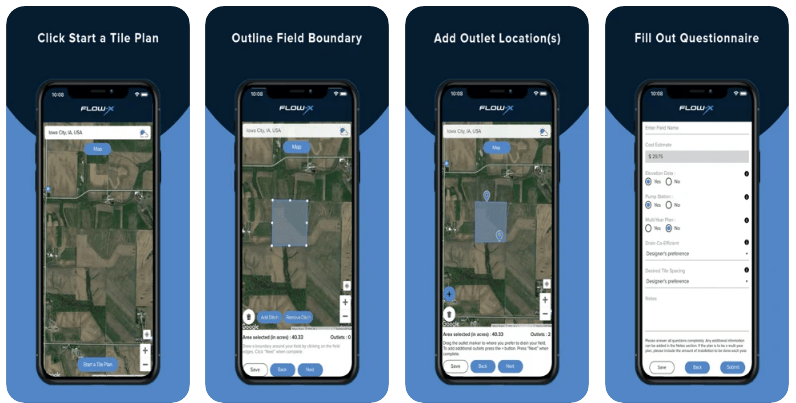
FlowX: Best for Map and Data Lovers on Android
If geeking out over maps, graphs and forecast models is your thing, check out FlowX.
Formerly known as Weatherbomb, the app provides users with a rich array of charts, forecasts, and weather maps presented in a scrolling animated forecast timeline.
Users can have the app center on their location automatically, or set custom locations.
FlowX can display a variety of data overlays, such as precipitation, clouds and wind direction arrows, with data sourced from the NWS/NOAA and Environment Canada.
The app is ad-supported, with an optional subscription that removes ads and rewards the developer.
Conclusion: Which Weather App Should You Use?
The right app depends on what you need. For accurate daily forecasts, start with AccuWeather or The Weather Channel, and add RadarScope or MyRadar if you track storms.
For a free app, WeatherBug and Clime cover most needs, and the Red Cross Emergency app is worth keeping for alerts. On iPhone, Apple Weather may be all you need.
Planning outdoor games or match days? Pair your forecast with one of the best sports apps for scores and schedules.
Want to build your own weather app? Standing out takes accurate data, clear alerts and a design people enjoy opening every day.
EchoInnovate IT has shipped 500+ products in 12+ years, with a team of 50+ people. Contact us to talk through your idea.
Frequently Asked Questions
What is the most accurate weather app?
No single app wins everywhere, because accuracy varies by region and by what you measure. AccuWeather, The Weather Channel and Weather Underground are reliable picks for daily forecasts. For storms, RadarScope shows raw radar data. Try two apps for a couple of weeks and keep the one that best matches your local weather.
What's the best free weather app?
WeatherBug is a strong free choice, with radar, lightning alerts, air quality and 10-day forecasts. Clime gives you live NOAA radar for free, and the Red Cross Emergency app sends official alerts at no cost. On iPhone, the built-in Apple Weather app is free and has no ads.
Which weather app is best for Android?
AccuWeather is a great all-round pick on Android, thanks to MinuteCast rain timing and allergy forecasts. WeatherBug is better if lightning alerts matter to you. If you like detailed maps, graphs and forecast models, FlowX is built for Android and gives you a scrolling, animated forecast timeline.
Which weather app do meteorologists use?
Many meteorologists, storm chasers and spotters use RadarScope, because it shows raw NEXRAD radar data and National Weather Service warnings. Windy is popular for comparing forecast models such as ECMWF, GFS and ICON. Professionals also rely on official National Weather Service forecasts rather than a single consumer app.
Are paid weather apps worth it?
For most people, free apps are enough. Paying makes sense if you want no ads, alerts for every saved place, or pro radar tools for storm tracking. RadarScope’s Pro tiers and Carrot Weather’s premium plans are good examples. Check what the free version already does before you upgrade.
How much does it cost to build a weather app?
A basic app that pulls forecasts from a public weather API sits in the entry tier. Custom radar maps, hyperlocal alerts and push notifications move it into the mid tier. Pro-grade apps with several data feeds sit in the upper tier. You get a fixed quote after a short scoping call.
Build Your Own Weather App
Planning a weather, alerts or location-based app? Our team of 50+ people has delivered 500+ products over 12+ years, on Android and iPhone.
